 Cart Rocket
Check Your Cart Links Before Black Friday
Links built in October can break by November without anyone touching them: a product sells out or a code expires. Black Friday is November 27. This post covers what Cart Rocket now checks for you and what's still worth testing by hand.
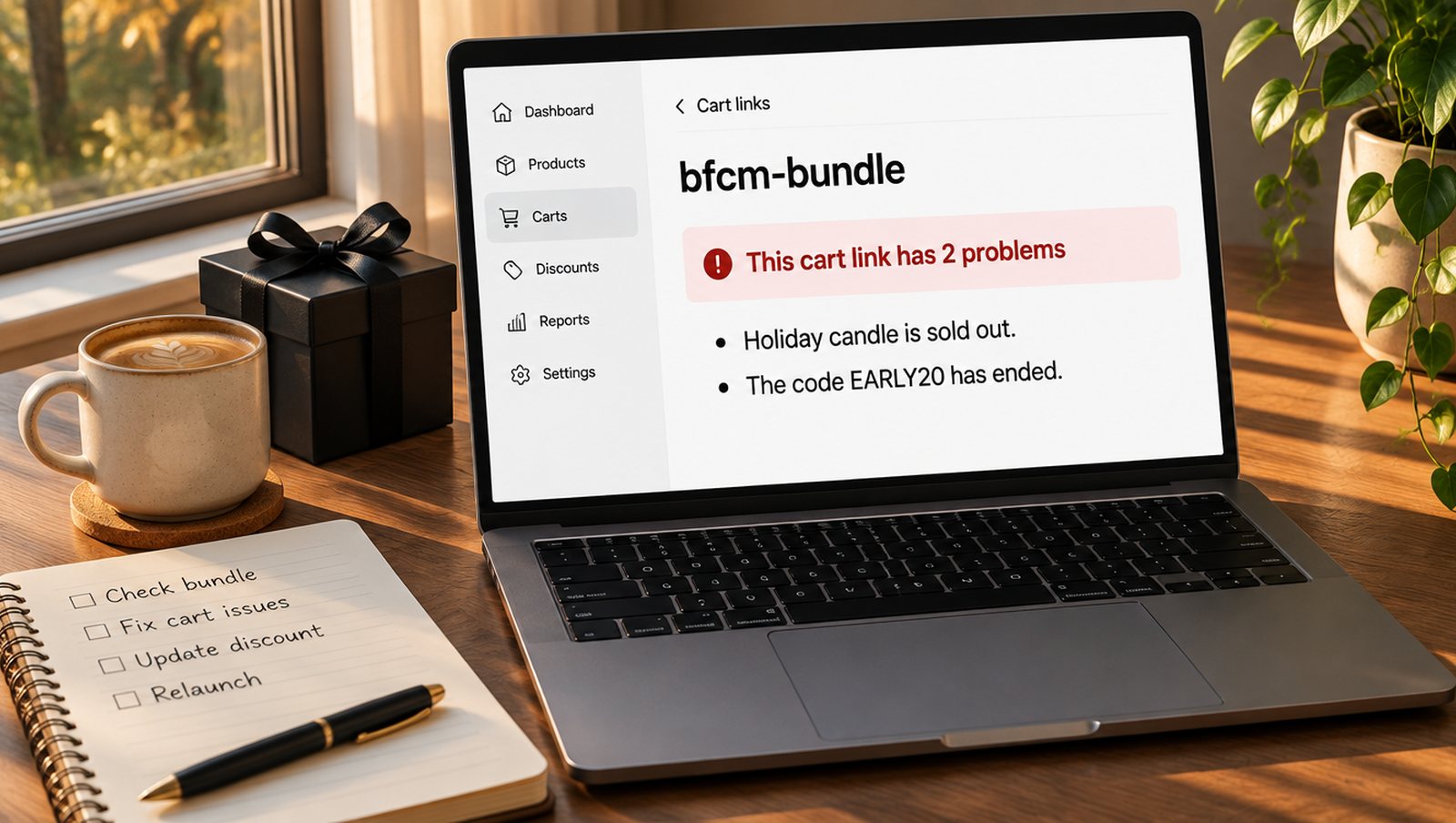
AI-generated illustration with sample data. Not a real product image.
Open every link in the editor
The cart editor checks a link each time you open or save it. If something's wrong, a banner at the top says This cart link has 1 problem, or however many it found, and lists them in plain words. If the link is fine, you see no banner. Go through your cart list, open each campaign link and read what comes up. The check looks for:
- Products that were deleted, set to draft, archived or sold out
- Codes that don't exist, have ended, haven't started yet or have used up their limit
- Codes that only some customers can use
- Discounts that can't be used together, so shoppers only get one
- Cart Rocket's own discounts switched off on your Discounts page
- The storefront embed turned off, on links that open the cart page
Fix what it lists and click Check again. A code that hasn't started yet is fine if it's meant to start on the day, so read each one before you act on it.
Test how your codes combine
BFCM is when codes pile up. A shopper might arrive with a sitewide code, an email code and your link's own discount. Click Check how codes combine, type up to 10 codes separated by commas, and click Check. Each pair comes back as Work together, Only on different items or Don't work together, with the reason. The link's own discounts are included.
If a pair doesn't work, change the combination settings on the code in Shopify, then run the check again. Personal codes from your email tool are worth testing too. Enter one real example, since the checker can only look up codes that exist.
Check your schedule
Active dates now use your store's time zone, and the editor names it next to the fields. Earlier versions used UTC, so if you worked out a launch time by hand, open the link and confirm it reads the way you want. Midnight on November 27 should say 00:00, in your store's time. The time zone comes from your Shopify settings, under Settings > General. If you use a countdown, check that it ends at the same moment.
Run one real test
The editor can't see everything a shopper sees, so finish with a test on a phone, in a private window:
- Click the link from the actual email, ad or QR code, using the final version.
- Check the products, the variant and the price in the cart.
- Go to checkout and check the discount lines and the shipping.
- If you've listed places that pay full shipping, try an address in one of them.
- If you send shoppers through a landing page with
?discount=, go through that page and confirm the code reaches checkout.
Later, look at Analytics to confirm your test open was counted. The Black Friday checkout playbook covers which campaigns to run in the first place.
Try it on your store
Cart Rocket builds pre-loaded cart links for Shopify with automatic discounts, bundles, an options page, order tags, UTM tracking and QR codes. Basic is $9/month for one cart link with every feature; Pro is $15/month for unlimited links.
Install Cart Rocket →