 Cart Rocket
New in Cart Rocket: Options Pages, Creator Links, Subscriptions and Reorder Links
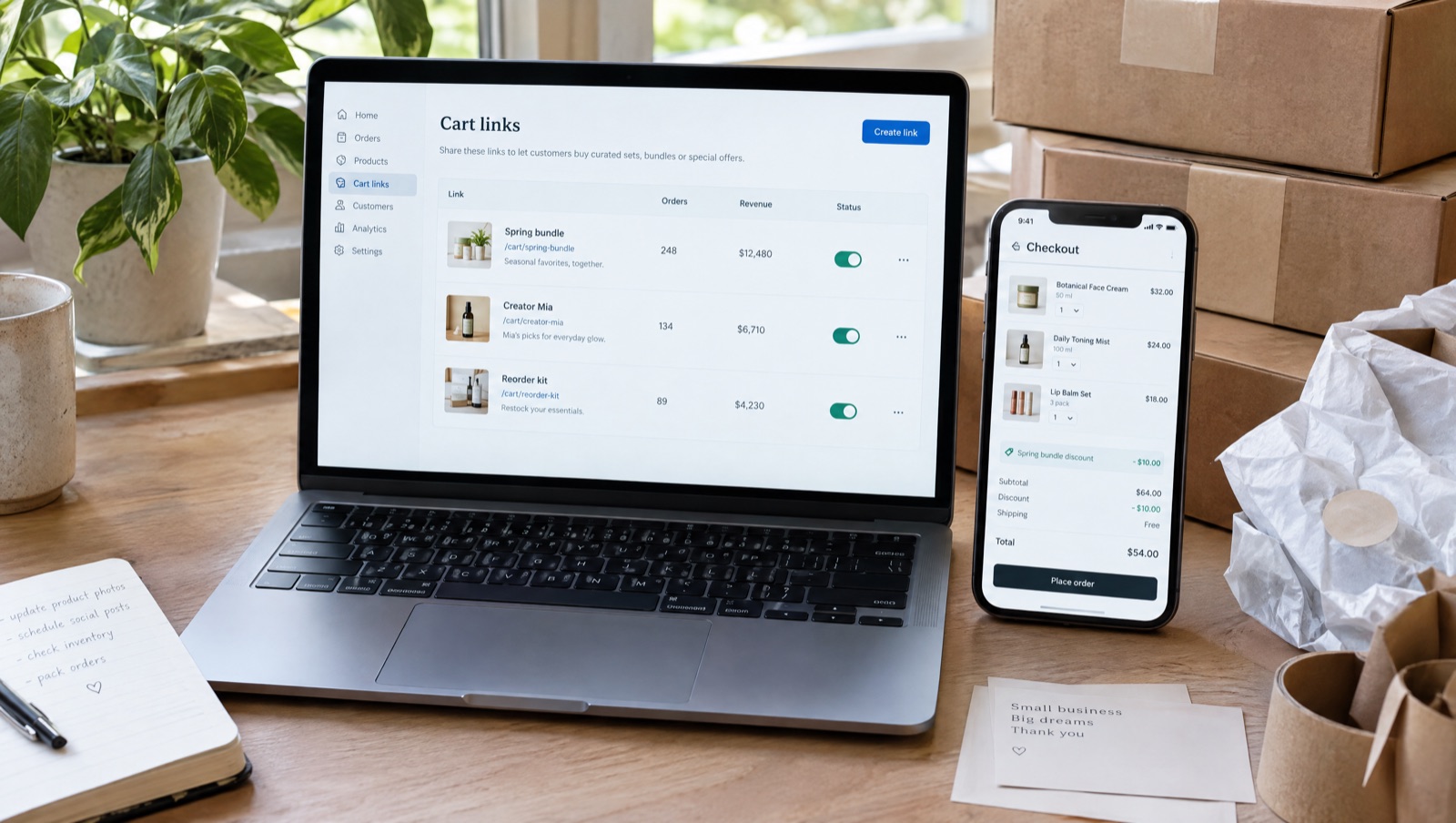
With the October 2026 update, cart links can open an options page in your theme before checkout, carry a code per creator, add subscription products, rebuild a customer's last order and prefill checkout from your email or SMS tool. This post goes through each one and shows where to find it.
Everything here is on both plans. Basic ($9/month) gives you one cart link with every feature, and Pro ($15/month) gives you unlimited links.
Setup is automatic now
Setup runs on its own when you install Cart Rocket, so there's nothing to initialise. The one step left is turning on the storefront embed: click Open theme editor, switch on Cart Rocket under App embeds and save. Cart links need the embed to apply discounts and bundles.
Options page before checkout
Until now a cart link added exact variants. That works for a restock email, where you know what someone wants, and less well for a launch where shoppers need to pick a size first.
The options page is a page in your store's own theme that lists the products in the cart with their prices and a button to continue. Shoppers can change size or colour there before checkout. Discounts and tracking still apply, and the discount follows whichever variant they choose.
- In the cart editor, go to Options page before checkout and tick Show the options page before checkout.
- Fill in Heading, Description and Button label, or leave them blank for the defaults.
- In the Products list, tick Let shoppers choose size/colour on each product they may change. The variant you added is selected first.
- Save. The link stays the same and now opens the options page first. In your list of carts, this cart gets an Options page badge.
The options page can also show a countdown. Tick Show a countdown until this offer ends and choose whether it counts down to the cart link's end date or to a date and time you pick. Every shopper sees the same deadline, and it never restarts for a new visitor. At zero the page says This offer has ended and the button stops working. Our post on adding a real countdown to your offers walks through the setup.
Docs: Options page before checkout and Countdown timer.
Creator links
Creator campaigns used to mean one cart link per creator, each with its own UTMs. Now one cart link can have a list of creators, each with a short code:
https://your-store.com/apps/cart/summer-kit?ref=mia
https://your-store.com/apps/cart/summer-kit?ref=jules
In the Creators section of the cart editor, click Add creator and enter a Name (only you see it) and a Code. Every order from Mia's link gets the tag creator-mia, or the tag you enter in Order tag (optional). After you save, copy each creator's link or QR code from the Their link column.
Analytics has a new Creators tab with opens, orders and revenue per creator code, so you have real numbers when you decide who to work with again. If you're gifting products to creators, put the gift in a cart link with a 100% item discount so it comes to zero, and send them that link so they can enter their shipping address.
Docs: Creator links.
Subscriptions
If a product sells on subscription in your store, a cart link can now add it as a subscription. Add the product, then use the Purchase option menu under it to choose one of its selling plans, or leave it on One-time purchase. Shoppers who open the link get that product on the plan you picked.
This is handy for "subscribe and save" emails and for QR codes on packaging, where the shopper has already tried the product and wants it delivered regularly.
Docs: Subscriptions.
Reorder links
A reorder link adds a customer's most recent order back into their cart, so one link works for everyone in a "buy again" email. In the Products section, set What this link adds to the cart to Customer's last order, or start from the Reorder template.
- Logged-in customers get their last order rebuilt in the cart.
- Shoppers who aren't logged in are asked to log in first, then the order is added.
- Items that are no longer available are skipped.
Discounts, order tags and tracking on the cart still apply, so you can add a small thank-you discount and use Tag order to tag these orders reorder.
Docs: Reorder links.
Checkout details
The new Checkout details section fills in a shopper's email, name, address or phone at checkout, so they only need to pay. It has two parts.
The first part, Fill in from your email or SMS tool, reads merge tags that your email or SMS tool puts in the link. Tick the details this link may accept: Email, Name, Shipping address and Phone. A link only accepts what you've ticked. The section shows the link format; replace each part in curly brackets with your tool's merge tag for that field:
https://your-store.com/apps/cart/spring-kit?email={email}&first_name={first_name}&last_name={last_name}When the message goes out, your tool swaps in each person's details, and they arrive at a checkout that's already filled in. If a merge tag doesn't render and the link still says {email}, Cart Rocket ignores it and the shopper types that detail as usual.
Fill in the same details for everyone is closed until you open it. It sets one email and shipping address for every shopper, which suits a link you send to a single customer. If you use both parts, a detail in the link replaces the same detail filled in for everyone, and anything the link leaves out keeps what you filled in.
Anyone who opens a link with filled-in details sees them at checkout, so only use these links in messages sent to one person.
Docs: Checkout details.
Empty the shopper's cart first
Under Advanced → Checkout options, the new Empty the shopper's cart before adding these items option decides what happens to anything already in the cart. With it on, the cart holds only this link's items. With it off, the link's items are added alongside what's there, and those other items count as extras, so a discount that doesn't allow extra items won't apply.
Turn it on for offers with a set price, such as a bundle or a gift, where leftover items would get in the way.
Docs: Empty the cart first.
Share cart
Share cart is a theme block for your cart page. It adds a button that lets shoppers share their own cart, and whoever opens the link gets a copy of it. Shared links last 30 days and carry items only, with no discounts and no personal details.
In the theme editor, open the cart page, add the Share cart block from Cart Rocket, set the Button label and Button style, and save. Analytics shows how many shared carts were created this month.
Docs: Share cart block.
A checkout funnel in Analytics
Analytics now has a Checkout funnel tab: Link opened → Checkouts started → Checkouts completed, with the completion rate. A big drop between the first two steps usually means the offer or the products need another look. A drop after checkout starts tends to point at shipping costs or payment.
Docs: Analytics.
Starter templates and Sidekick
Clicking Create cart now offers five starter templates: Influencer, Free gift, Bundle deal, Product launch and Reorder. Choosing one fills in suggested settings and opens the product picker. Nothing is saved until you save. Our post on the five starter templates covers what each one sets and what to change.
Sidekick can also set the new options. Ask it to create a cart link, turn on the options page before checkout, add creators, make a reorder link or empty the cart first, then review the result in Cart Rocket and save.
Docs: Starter templates and Sidekick.
What happens if a link is unavailable
A link can stop working for a few reasons: you switched it off, its end date passed, it reached its purchase limit, or it's restricted to certain customers and the shopper isn't one of them. Shoppers who open it no longer see an error page. They're sent to the product page (or your home page) with a short notice.
For links restricted to customer segments or specific customers, shoppers who aren't logged in are asked to log in first, and only shoppers who still don't qualify see the notice. If customers report the notice and you didn't expect it, check that Link active is on, that the dates are right (they're in UTC), and that the purchase limit hasn't been reached.
Docs: Troubleshooting.
Try it on your store
Cart Rocket builds pre-loaded cart links for Shopify with automatic discounts, bundles, order tags, UTM tracking and QR codes. Basic is $9/month for one cart link with every feature; Pro is $15/month for unlimited links.
Install Cart Rocket →