 Cart Rocket
Valentine's Day and Super Bowl LXI on the Same Sunday: Two Cart Links
On Sunday, February 14, 2027, Valentine's Day and Super Bowl LXI land on the same day. Some of your customers are buying a gift, some are stocking up for a game-day party, and a few are doing both. Two cart links, each with its own dates, countdown and tracking, let you sell to both without mixing up the results.
The date
The NFL lists Super Bowl LXI for February 14, 2027, at SoFi Stadium in Inglewood, California (NFL.com, 2026-27 important dates, checked October 14, 2026). February 14 is Valentine's Day, and in 2027 it's a Sunday.
For a store, that means two different shoppers in the same week. The gift buyer needs something delivered by Sunday that looks like it took thought. The party host needs food, drink or merch in the house before the game starts. They respond to different offers and different deadlines, so give each one its own link.
On Basic, only one cart link works at a time: your oldest active one. To run both links in the same week you need Pro, which has unlimited cart links.
Link 1: the Valentine's gift bundle
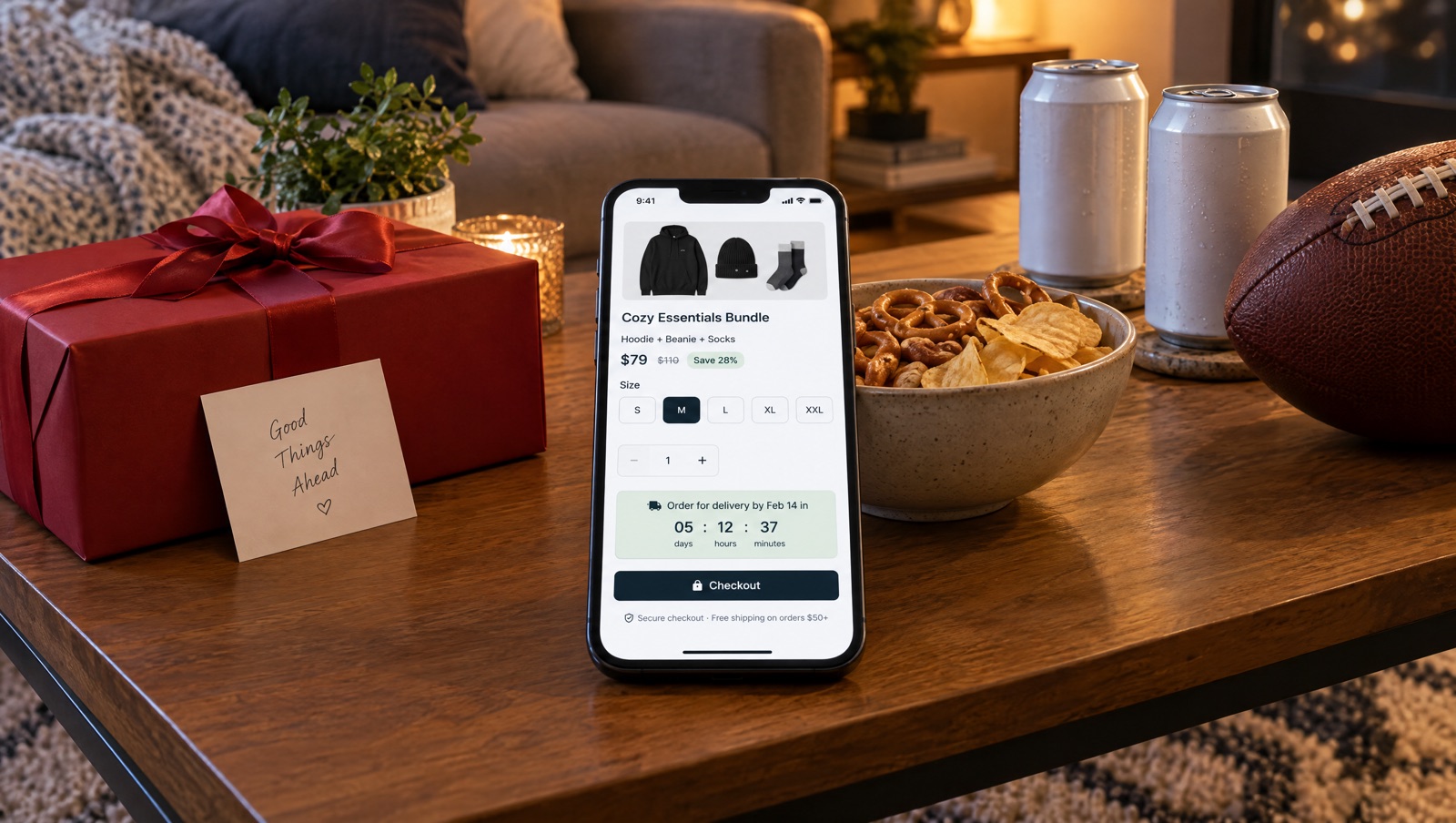
Build the gift as a bundle. In Products, select the items, choose Create bundle, name it and set its price. The shopper sees one bundle line in the cart instead of three separate products, which suits a gift.
- Give the cart a Title such as
vday-gift-2027. - Turn on the options page before checkout with Show the options page before checkout, and tick Let shoppers choose size/colour on anything that comes in sizes or colours. The gift buyer picks the variant there and the discount follows it.
- Use Heading and Description to say what's in the set and when it needs to be ordered by.
- Open Advanced, then Checkout options. Redirect to cart instead of checkout suits gift sets where the buyer may want to look at the cart first.
Holiday gift bundles in one link has more ideas for building gift sets.
Link 2: the game-day bundle
The second link is for the party: snacks, drinkware, a team-colour blanket, whatever your store sells that people use on game day. Make it its own cart with a title such as gameday-2027.
- A bundle at a round price works here too. If you'd rather keep the items as separate lines, skip Create bundle and use a cart-wide discount with a minimum number of items.
- For mobile traffic from SMS or social, Use Shop Pay checkout under Checkout options sends shoppers to Shop Pay.
- If stock is limited, set Max purchases overall under Purchase limits. When the link reaches the limit, shoppers are sent to the product or home page with a short notice.
If you want a fixed-price offer that can't be edited in the cart, Lock offer cart does that, but carts with bundles can't be locked. Use separate lines with a discount if you need the lock.
Schedule both links
Each link gets its own window in Advanced, under Active dates. Before the start, shoppers are sent to the product or home page with a notice that the offer hasn't started yet. After the end date, the link stops working and shoppers get a short notice. All times are entered and enforced in UTC, and if your store isn't on UTC the editor shows the same moment in your store's time zone. See Active dates.
The end dates are yours to choose. For the gift link, it's the last moment an order can still be delivered by Sunday. For a game-day link with physical products, it's the same kind of shipping cutoff. Work them out from your own carrier and packing times, then put them in the editor.
Add a countdown to each
Both links can show a countdown on their options page. Tick Show a countdown until this offer ends, then under Count down to choose When this cart link ends, so the timer reaches zero when the link stops. If you'd rather end the offer on the page while the link keeps working, choose A date and time I choose and fill in End date (UTC) and End time (UTC).
Write a Label for each that names the real deadline, up to 40 characters:
- Gift link: Order for delivery by Feb 14 in
- Game-day link: Order for game day in
Every shopper sees the same deadline, and the timer doesn't restart for a new visitor. At zero the page says This offer has ended and the button stops working. Add a real countdown to your cart link offers explains what shoppers see in more detail.
Keep the results apart
Set up tracking on each link so you can see which offer worked:
- UTMs: in Tracking, use a different
utm_campaignfor each, such asvday-2027andgameday-2027, and autm_sourcefor each channel. Analytics shows results by source, medium and campaign under Campaigns. - Order tags: turn on Tag orders and give each link its own tag, such as
vday-2027andgameday-2027. You can then filter those orders in your Shopify admin. - Per link: the Cart links tab in Analytics shows orders and revenue for each link.
https://your-store.com/apps/cart/vday-gift-2027?utm_source=email&utm_campaign=vday-2027
https://your-store.com/apps/cart/gameday-2027?utm_source=sms&utm_campaign=gameday-2027
Docs: Tracking & attribution and Analytics.
One email, two buttons
Send one email in the week before the 14th with both offers, each button pointing to its own link. Whoever is buying flowers clicks one, whoever is hosting clicks the other, and the UTMs sort the results out afterwards.
Creators can promote either link. Add each creator in Creators on the link they're promoting, and they get their own ?ref= code that shows opens, orders and revenue per creator. See Creator drops for the holidays.
Before you send
- You're on Pro if both links need to work at the same time.
- Each link has its own start and end date in UTC, based on your own shipping cutoffs.
- Each countdown uses When this cart link ends and has a label that names the deadline.
- UTMs and order tags differ between the two links.
- You've opened both links with Open under Cart link and checked the page, the timer and the cart.
Try it on your store
Cart Rocket builds pre-loaded cart links for Shopify with automatic discounts, bundles, an options page with a countdown, order tags, UTM tracking and QR codes. Basic is $9/month for one cart link with every feature; Pro is $15/month for unlimited links.
Install Cart Rocket →